


As one of the leading VoIP and unified communications providers in the cloud-based calling and AI-powered communication space, Vonage stands out. It has an array of communication tools designed to provide support not just for growing companies but for users who either want to use advanced phone systems for their personal or professional gain.
There is no denying the advancements of Vonage and its unified communication advantage, but there are some instances where Vonage may fall short in its capacity to cover every customer demand. Especially with the rise of AI technology and its incorporation with how communication is being developed. A lot of businesses seek out Vonage alternatives that can scale, improve, and keep up with their workforce.
This guide will explore seven alternatives to Vonage, starting with AnyBiz—an innovative AI-driven sales engagement platform that’s revolutionizing how businesses connect with prospects. We will examine each alternative’s features, advantages, and how likely it will benefit your business and marketing strategies.
What is Vonage and how does it work?
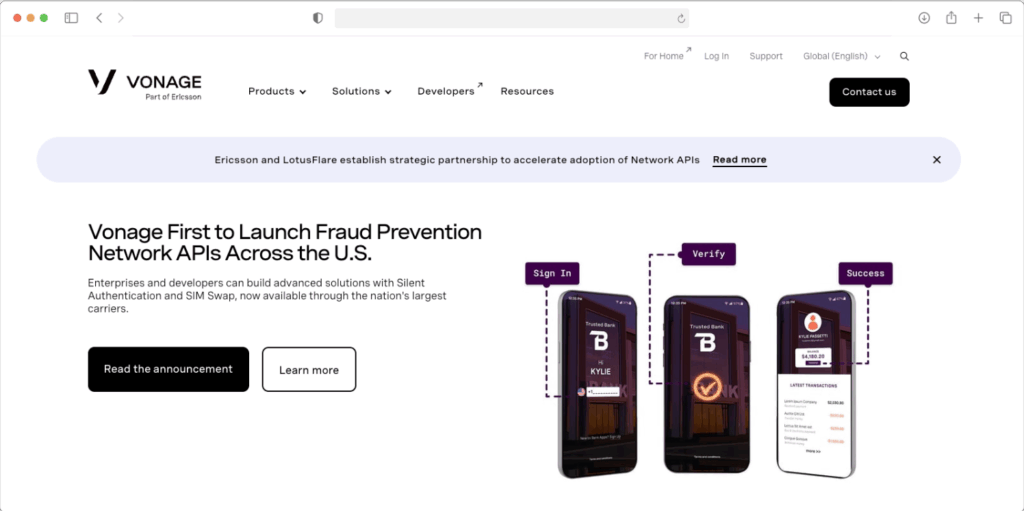
Vonage is an American cloud communications platform providing Voice over Internet Protocol (VoIP) services. This is a technology that provides businesses with the advantage of making audio and video calls, and sending instant messages using the internet. In essence, it eliminates the need to use traditional phone lines.
Vonage operates by converting voice signals into data packets that are transmitted over the internet, enabling users to make calls from computers, mobile devices, or VoIP desk phones from anywhere with an internet connection.
Vonage provides:
- Rich Communication Services (RCS) for media rich messages
- SMS/MMS messaging
- Vonage AI
- Omnichannel engagement
- Advanced Natural Language Understanding (NLU) system
- Native Salesforce authentication
- Flexible Webhooks
- Unlimited calling within the US and Canada
- Video conferencing (up to 200 participants on Premium plans)
- Team messaging and collaboration tools
- Auto-attendant and call routing
- Over 50 voice and phone features
- CRM integrations
- Mobile and desktop applications
Other features may also include:
- Communications APIs for developers looking to build custom solutions
- Contact Center Solutions for businesses requiring omnichannel customer support capabilities
Why consider alternatives to Vonage?
The following reasons are what might compel some to seek out another communication system or solutions.
- Hidden costs and add-on dependencies. Basic capabilities like call recording, automatic call queuing, and AI virtual assistants come at additional costs. The advertised base price rarely reflects the actual monthly expense.
- Limited entry-level features. The Mobile plan lacks fundamental collaboration tools like video meetings and team messaging which are features that many competitors include in their starter packages. This forces businesses to upgrade to higher tiers for basic functionality, or seek out other alternatives.
- Complex setup and onboarding. Despite advertising a seamless setup process, some users tend to disagree. Multiple reviews from Trustpilot, Capterra, and Reddit reported that even configuration setups require multiple support tickets. The platform also lacks cohesion between different features which creates fragmented user experience.
- Customer service challenges. Perhaps one of the most widely complained aspects of Vonage is its customer service, especially when it comes to their responsiveness and problem resolution.
- Integration limitations. Although it supports many integrations, compared to other modern Unified Communication tools it has fewer native integrations with high dependence on API. Its features are also scattered across legacy and newer platforms.
- Inconsistent call quality. Some users report call quality issues, dropped calls, and service interruptions that impact business operations and customer communications.
- Mandatory contracts. New customers must commit to a one-year contract to secure promotional pricing, with early termination fees potentially equaling the full contract value.
- Lack of modern AI features. While competitors are rapidly integrating AI-powered features for transcription, sentiment analysis, and automated responses, Vonage’s AI capabilities are limited and available only as costly add-ons.
The Top 7 Vonage Alternatives
1. AnyBiz

Best For: B2B companies seeking AI-powered sales engagement and lead generation automation
AnyBiz represents a paradigm shift in business communication and sales engagement. Unlike traditional VoIP platforms, AnyBiz leverages cutting-edge artificial intelligence to automate the entire lead generation and engagement process, making it an ideal alternative for sales-driven organizations. Features include:
AI Sales Agent
- One of the criticisms of Vonage is its lack of AI-powered features. At the time of this writing, we’ve uncovered that Vonage developed an AI Hub, but is exclusive only as an add-on.
- Meanwhile, AnyBiz and its AI sales agent is considered as one of the most advanced AI technologies with the ability to outreach potential prospects thanks to its advanced machine learning capabilities and Large Language Model (LLM).
Multichannel outreach and prospect database
- AnyBiz’s AI sales agent simulates a unified communication of its own thanks to its prospect database of over 400 million personas.
- AnyBiz will find leads for you and contact them using its multichannel outreach capabilities such as email, LinkedIn, and AI cold calling. It uses a strategic approach to ensure that your potential prospect remains engaged and eventually helps you convert prospects into actual paying customers.
Personalization capabilities
- You can use AnyBiz’s personalization capabilities to provide instructions and scripts to update your communication and policy patterns.
- Instructions can be customized to match your brand’s tone, communication and across voice style, to avoid suspicious patterns.
Related Reading: The Future of B2B Sales with AI: Moving Beyond Automation to Hyper-Personalization
Email and LinkedIn outreach
- Initial outreach that the agent uses to connect with your prospect, since it is a non-forceful outreach approach. After making a successful initial contact, the system will send an automated cold email follow-up sequence. The AI agent will also include a link to a customized landing page that will strongly present your business to your prospect during the follow-up process without worrying about any design implementation.
- Anybiz can be integrated seamlessly into your LinkedIn account, which is a perfect platform to establish your outreach strategy.
AI cold calls
The higher the level of engagement, the higher its potential to close a sale, and one of the channels within the AI sales agent’s arsenal is its AI cold calls that can schedule phone calls from your sales team as part of its outreach strategies.
AI intent signals
- During the initial outreach the AI sales agent will help you uncover and confirm the level of interest of your prospects with its AI intent and behavior signals.
- It can give you the data on how long your prospects spent their time reading your messages, and if they’ve shown at least a little bit of interest in your brand.
Pros
- Dedicated Customer Success Manager that will help you set up, troubleshoot, and guide you to get the most out of our product.
- Monitoring of AI activities via the AnyBiz dashboard: The AI dashboard can give you the ability to monitor the following:
- Website Tracking
- Persona Awareness
- LinkedIn Post
- Total Outreach and Engagement
- Call Activity
- Social Media Performance
- Social media brand awareness helps you with posting and other content engagement to establish your social media presence and brand awareness. You can integrate your social media accounts such as LinkedIn (for brand awareness and outreach), Facebook, and X (formerly Twitter).
2. Nextiva

Best For: Small to mid-sized businesses seeking comprehensive unified communications with exceptional customer support
When it comes to actual VoIP systems, Nextiva is considered as one of the best ones. It is an all-in-one platform combining voice, video, and team collaboration which is best suited for small to mid-sized businesses.
Key features
- Unified communications: Voice calls, video conferencing, team messaging, and SMS/MMS in one platform
- Auto-attendant: Professional call routing with IVR capabilities
- Call analytics: Detailed reporting on call performance, trends, and team metrics
- Voicemail transcription: Converts voicemails to text for faster response
- Call recording: Secure cloud storage for quality assurance and training
- Mobile applications: Full-featured mobile apps for iOS and Android
- Customer service tools: Built-in helpdesk and ticket management capabilities
- Video meetings: Support for multiple participants with screen sharing and recording
Pros
- Exceptional customer support: Consistently praised for responsive, knowledgeable support available 24/7
- Reliability: 99.999% uptime SLA ensures minimal disruptions
- Feature-rich base plans: Even entry-level plans include comprehensive features
- Easy to use: Intuitive interface requires minimal training
- Scalability: Grows seamlessly with your business from 1 to thousands of users
- Transparent pricing: No hidden fees or surprise charges
- Great value: Competitive pricing for the feature set provided
Cons
- Higher starting price: More expensive than some budget alternatives
- Setup complexity: Initial configuration can be time-consuming for complex organizations
- US/Canada focus: Limited international number availability compared to some competitors
- Occasional interface issues: Some users report minor glitches in the platform
Approximate review averages at the time of writing
- G2: 4.5/5 (3,400+ reviews)
- Capterra: 4.3/5 (500+ reviews)
- Trustpilot: 5.0/5 (7,800+ reviews)
3. RingCentral
Best For: Enterprises and larger teams requiring robust unified communications with extensive integrations
RingCentral is a market leader known for its comprehensive feature set, enterprise-grade reliability, and extensive third-party integrations.
Key features
- RingCentral RingEX: Complete unified communications platform with voice, video, and messaging
- Advanced video conferencing: Host up to 200 video or 1,000 audio participants
- Team collaboration: Integrated chat, file sharing, and task management
- Extensive integrations: 400+ third-party integrations including Microsoft Teams (license-free), Salesforce, and Google Workspace
- AI-powered features: Real-time transcription, meeting summaries, and insights
- Business analytics: Comprehensive reporting and quality-of-service metrics
- Call management: Advanced routing, queuing, and monitoring capabilities
- Global reach: Service available in 45+ countries with local PSTN numbers
Pros
- Comprehensive features: One of the most feature-rich platforms available
- Enterprise-grade reliability: 99.999% uptime for mission-critical communications
- Superior integration library: More integrations than most competitors
- Advanced collaboration tools: Excellent for team productivity and coordination
- Strong video capabilities: Robust meeting features with breakout rooms and recording
Cons
- Higher than average cost: Premium pricing compared to many alternatives
- Complex for small businesses: May be overkill for companies with basic needs
- Steeper learning curve: Extensive features require more training
- Setup complexity: Initial deployment can be challenging without dedicated IT support
Approximate review averages at the time of writing
- G2: 4.3/5 (1,800+ reviews)
- Capterra: 4.2/5 (900+ reviews)
- Trustpilot: 3.9/5 (1,200+ reviews)
4. Zoom Phone
Best For: Businesses already using Zoom Meetings or prioritizing video conferencing with phone capabilities
Zoom Phone integrates seamlessly with Zoom’s industry-leading video platform, offering an affordable entry into unified communications.
Key features
- Unified Zoom ecosystem: Seamless integration with Zoom Meetings and Workplace
- Flexible calling plans: Choose between metered (pay-per-minute) or unlimited calling
- AI companion: Free AI-powered features including meeting summaries and message drafts
- Call management: IVR, call queuing, call monitoring, and recording
- Team chat: Integrated messaging and file sharing
- Mobile and desktop apps: Consistent experience across all devices
- Global calling: International calling to 150+ countries with competitive rates
- Elevate to meeting: Convert phone calls to video meetings with one click
Pros
- Affordable pricing options: Among the most cost-effective options starting at $10/user/month
- Excellent video integration: Best-in-class video conferencing included
- User-friendly: Familiar interface for existing Zoom users
- Quick setup: Rapid deployment with minimal configuration
- Reliable performance: Zoom’s proven infrastructure ensures quality
- Flexible billing: Metered plans for low-volume users
Cons
- Limited CRM integrations: Fewer native integrations compared to competitors
- Basic telephone features: Less advanced calling capabilities than dedicated VoIP platforms
- International numbers: Limited availability compared to some alternatives
- Call recording limits: Entry-level plans lack call recording
Approximate review averages at the time of writing
- G2: 4.3/5 (900+ reviews)
- Capterra: 4.4/5 (700+ reviews)
- Trustpilot: 4.2/5 (800+ reviews)
5. Dialpad
Best For: Businesses seeking advanced AI capabilities for call transcription, coaching, and analytics
Dialpad leads the industry in AI-powered communication features, making it ideal for sales and support teams focused on performance optimization.
Key Features
- Dialpad Ai: Real-time transcription, post-call summaries, and action items
- Sentiment analysis: AI identifies customer emotions and conversation tone
- Speech coaching: Real-time suggestions to improve agent performance
- Voice intelligence: Identifies keywords, tracks outcomes, and provides insights
- Multi-channel communication: Voice, video, and messaging in one platform
- CRM integration: Deep integrations with Salesforce, HubSpot, Zendesk
- Call center features: ACD, IVR, call monitoring, and analytics
- Video meetings: Support for up to 150 participants
Pros
- Affordable entry price, starting at $15/user/month
- Real-time insights such as live transcription and coaching during calls
- Sales optimization for teams focused on conversion improvement
- Easy to use with its clean, intuitive interface
- Mobile-first design for an outstanding mobile app experience
Cons
- Only supports up to 150 participants vs. competitors’ 200+
- 5-hour limit per meeting
- Fewer overall integrations than other alternatives
- Higher tiers required for full AI capabilities
Approximate review averages at the time of writing
- G2: 4.4/5 (2,800+ reviews)
- Capterra: 4.3/5 (600+ reviews)
- Trustpilot: 4.1/5 (400+ reviews)
6. Ooma

Best For: Small businesses and startups requiring affordable, no-frills VoIP service
Ooma offers straightforward business phone service with essential features at budget-friendly prices, making it perfect for cost-conscious small businesses.
Key features
- Ooma Office: Cloud-based phone system with core business features
- Virtual receptionist: Automated call routing and directory
- Ring groups: Distribute calls across multiple team members
- Call forwarding: Route calls to mobile or home phones
- Voicemail-to-email: Receive voicemails as email attachments
- Conference calling: Multi-party calling capabilities
- Mobile app: Make and receive business calls on personal devices
- Number porting: Keep your existing business number
Pros
- Starts at just $19.95/user/month
- Quick installation with minimal technical knowledge
- Month-to-month billing with no long-term commitment
- Consistent call quality and uptime
- Excellent feature-to-price ratio for small teams
- No hidden fees or surprise charges
Cons
- Lacks sophisticated call center capabilities
- No integrated video conferencing
- Limited third-party app connections
- Scalability concerns make it better suited for small teams than growing enterprises
- Basic analytics and minimal reporting compared to enterprise solutions
Approximate review averages at the time of writing
- G2: 4.3/5 (800+ reviews)
- Capterra: 4.1/5 (400+ reviews)
- Trustpilot: 3.8/5 (600+ reviews)
7. GoTo Connect
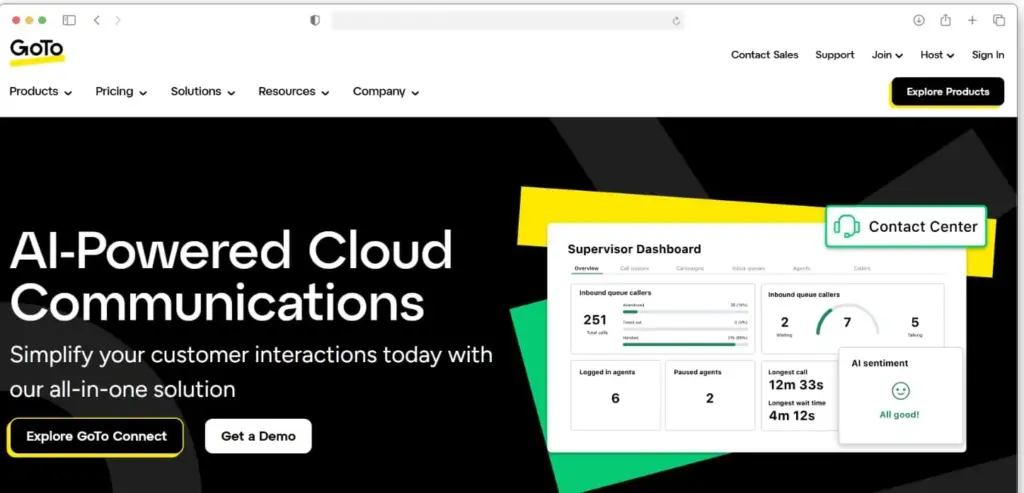
Best For: Businesses prioritizing ease of use and international calling
GoTo Connect (formerly Jive) offers a user-friendly unified communications platform with unlimited international calling to over 50 countries included in all plans.
Key features
- Unlimited international calling: Included to 50+ countries without per-minute charges
- Multi-channel communication: Voice, video, and messaging in one platform
- Contact center tools: ACD, IVR, and call recording
- Analytics and reporting: Real-time and historical data insights
- CRM integrations: Connect with Salesforce, Microsoft Dynamics, and others
- Mobile and desktop apps: Seamless experience across devices
- Call management: Advanced routing, forwarding, and screening
- Video conferencing: Host meetings with screen sharing and recording
Pros
- Best for businesses with global calling needs
- User-friendly and intuitive interface requires minimal training
- Comprehensive documentation with extensive guides and tutorials
- Reliable performance, strong uptime, and good call quality
- Multiple support channels available
- Flexible options for different business sizes
Cons
- Higher base price is more expensive than some budget alternatives
- Limited features on entry plan
- Video limitations mean it’s not as robust as Zoom or RingCentral for video
- Slower innovation with updates and new features roll ingout less frequently
Approximate review averages at the time of writing
- G2: 4.3/5 (1,500+ reviews)
- Capterra: 4.2/5 (600+ reviews)
- Trustpilot: 3.9/5 (500+ reviews)
It’s time to all in your decision: Explore AnyBiz today
Unified communications and VoIP systems are just two of the many technologies that can improve your workforce. It enables you to quickly respond, call, and interact with people that you need the most without running, scheduling a flight, or driving.
Each alternative of Vonage offers unique advantages, each unparalleled in their own right, and every business today can find the best communication system to fit their needs. In terms of outreaching capabilities and sales endeavor, having the most reliable, advanced and accessible system is a necessity.
And you can never go wrong with AnyBiz.
If you are in search of an ideal alternative, book a live demo to see how AnyBiz can transform your team’s performance.
FAQ
Why should I consider an alternative to Vonage?
While Vonage offers robust VoIP and unified communications features, it can fall short in areas like pricing transparency, AI-powered functionality, and integration flexibility. Many businesses look for alternatives that provide better scalability, AI-driven automation, and stronger customer support.
What makes AnyBiz a strong alternative to Vonage?
AnyBiz stands out for its AI-powered outreach capabilities automating lead generation, follow-ups, and personalized communication across channels like email, LinkedIn, and AI cold calls. It goes beyond communication to drive measurable sales engagement and conversions, something Vonage’s VoIP-focused tools can’t match.
How do AI-powered platforms like AnyBiz differ from traditional VoIP systems?
Traditional VoIP systems focus mainly on communication—calls, messages, and video conferencing. In contrast, AI-powered platforms like AnyBiz automate outreach, qualify leads, and analyze intent signals, turning communication into actionable sales opportunities.